Skip to content

Work / School website

CASE STUDY · SCHOOL WEBSITE · DEVELOPMENT

School website

A school website built in WordPress from supplied designs, then adapted so the school’s team can keep it up to date on their own without breaking the layout.

Design credit: the visual design was supplied to me. My part: building it in WordPress and writing all the code.
MY ROLE
Web development, built from supplied designs (freelance for Three Lemurs)
STACK
WordPress · Astra · Elementor Pro
YEAR
2025 – 2026
CLIENT
An international school in the UK
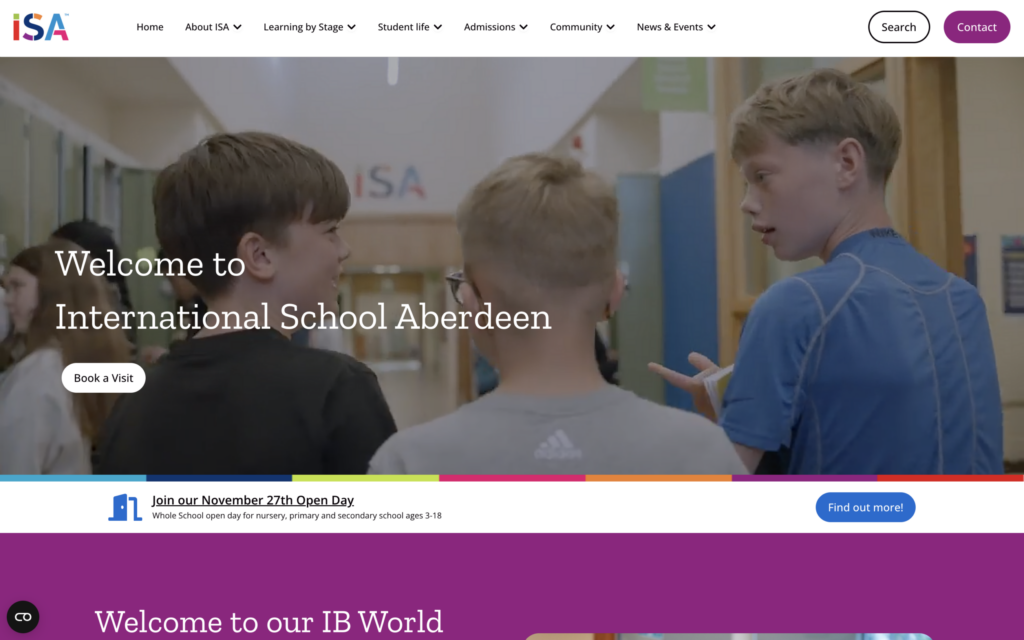
Home page on desktop and on mobile

THE CONTEXT

A school site with a lot to say.

The client is an independent international school in the UK. It needed its institutional site rebuilt, with information about each stage of schooling, student life, admissions, news and resources for its community.

THE CHALLENGE

A design-led site is easy to break. The people who update it are teachers and administrators, not web designers, so the build also had to be easy to maintain:

  • Build the pages faithfully from supplied full-page designs, with desktop layouts and a mobile reference
  • Let school staff create and edit pages without touching the design controls
  • Keep SEO reachable after removing the extra “Edit” option the school asked me to take out
  • Manage news and vacancies from fields instead of from the page builder

MY ROLE

Build, then make it easy to run.

  • Responsive WordPress development from supplied designs
  • CMS adaptation: role-based admin, page creation flow, reusable patterns and field-driven content
  • Automatic child page listings built from the WordPress page hierarchy
  • A custom “SEO Settings” button that opens each page’s SEO from the front end
  • Yoast SEO installed as the school requested, plus image and cache guidance for the team

The visual design was supplied; the build and the editing experience are my work.

STACK

  • WordPress
  • Astra
  • Elementor Pro
  • Pods
  • ACF
  • Gutenberg
  • Yoast SEO
  • WP Fastest Cache
  • PHP
  • HTML
  • CSS
  • JavaScript

PROBLEMS & SOLUTIONS

Five changes that made the site easier to run.

01

Guided page creation

THE PROBLEM

Creating a page meant starting from a blank screen and choosing a technical structure (Flexbox or Grid) before writing a word.

WHAT I BUILT
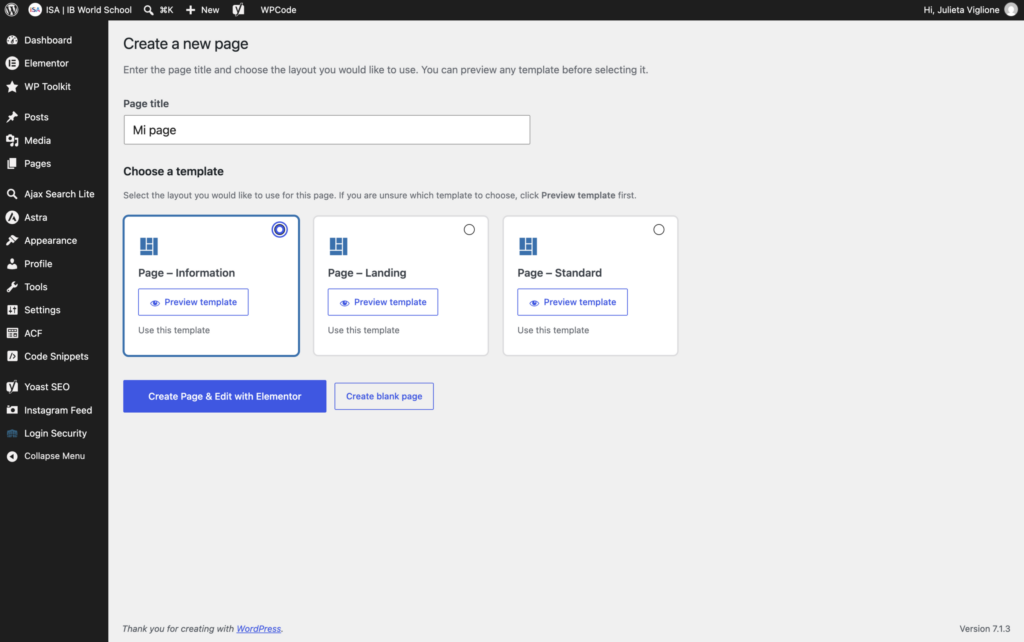
  • Adding a page now starts with a title and a choice of ready-made page templates.
  • The page opens directly in Elementor, and I removed the extra "Edit" option that confused editors.
  • The title entered at creation names the page in WordPress and builds its slug. The templates hide the theme title, so nothing shows twice.
Add Page with the template picker
The new page opening in Elementor
02

A simpler admin for each role

THE PROBLEM

Design controls and admin menus were easy to break and hard to handle for people who only needed to change a text or an image.

WHAT I BUILT
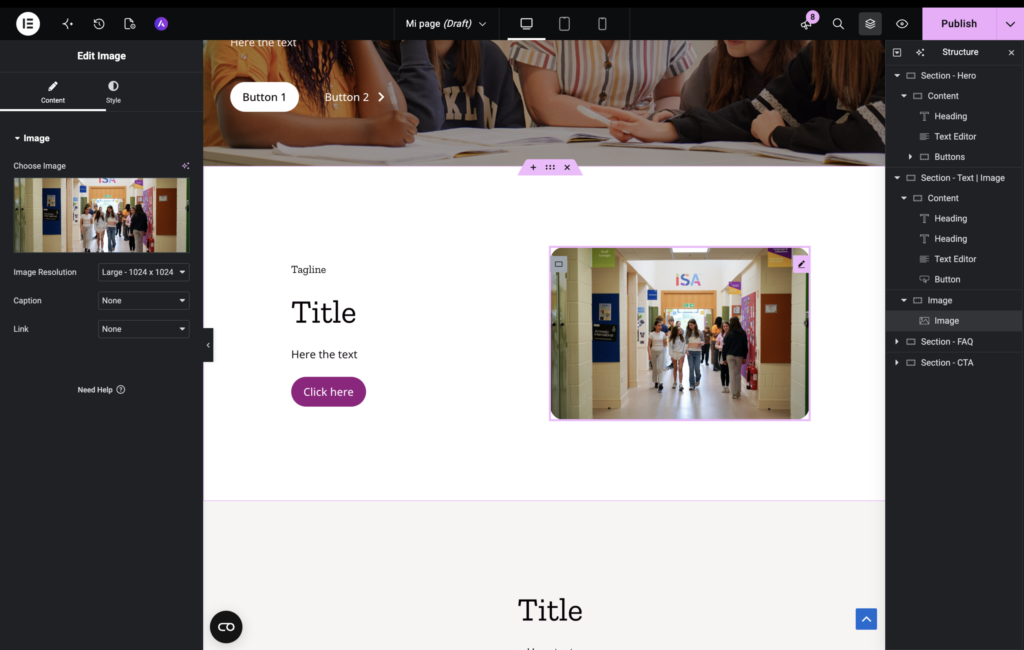
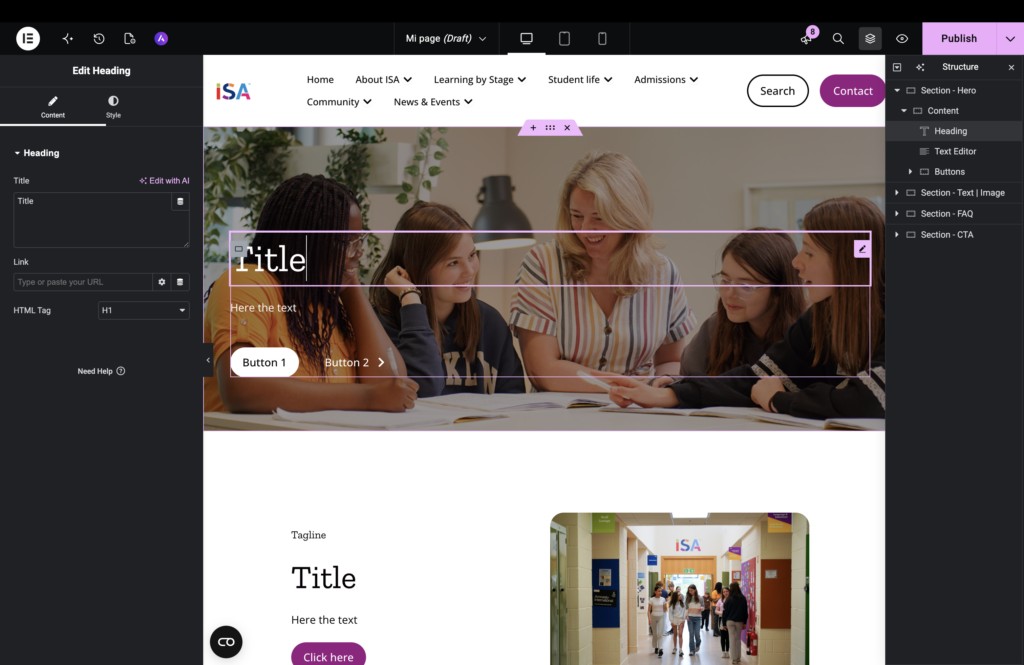
  • I tailored what each WordPress role sees: which Elementor controls and which WordPress buttons and menus appear. The school’s main editor, on the Editor role, gets a simplified experience.
  • Page templates that open directly in Elementor, plus Elementor’s "Edit content only" mode, let editors change text, images and links inside prepared structures.
  • Global templates for header, footer and posts keep the layout consistent across the site.
Editing a page as an Editor user
WordPress menu for the Editor role compared with Administrator
03

News and reusable patterns

THE PROBLEM

News articles mixed Gutenberg and Elementor editing, and small images came out blurry or inconsistent.

WHAT I BUILT
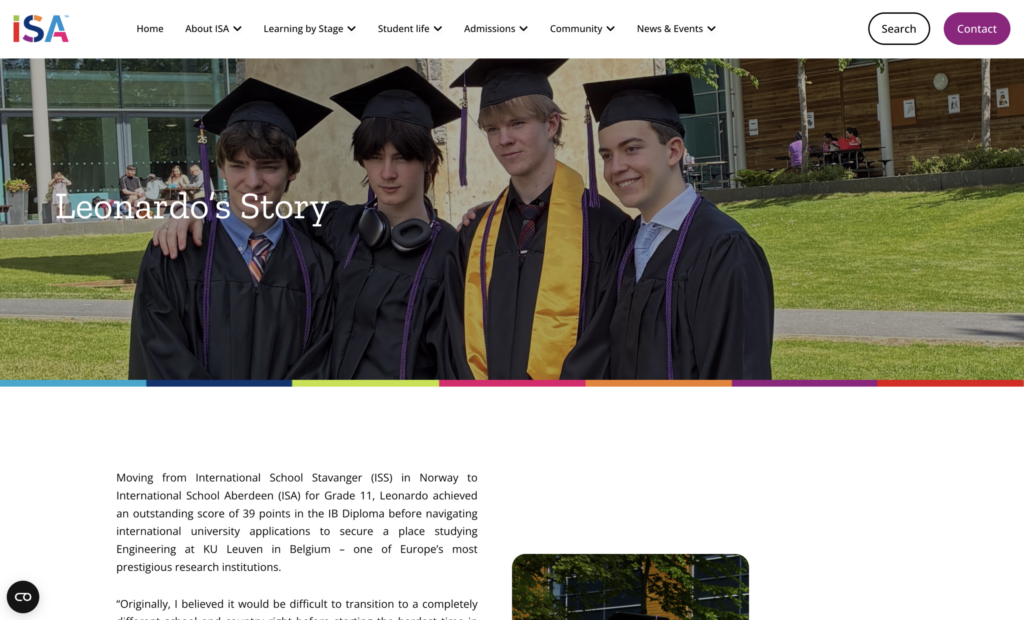
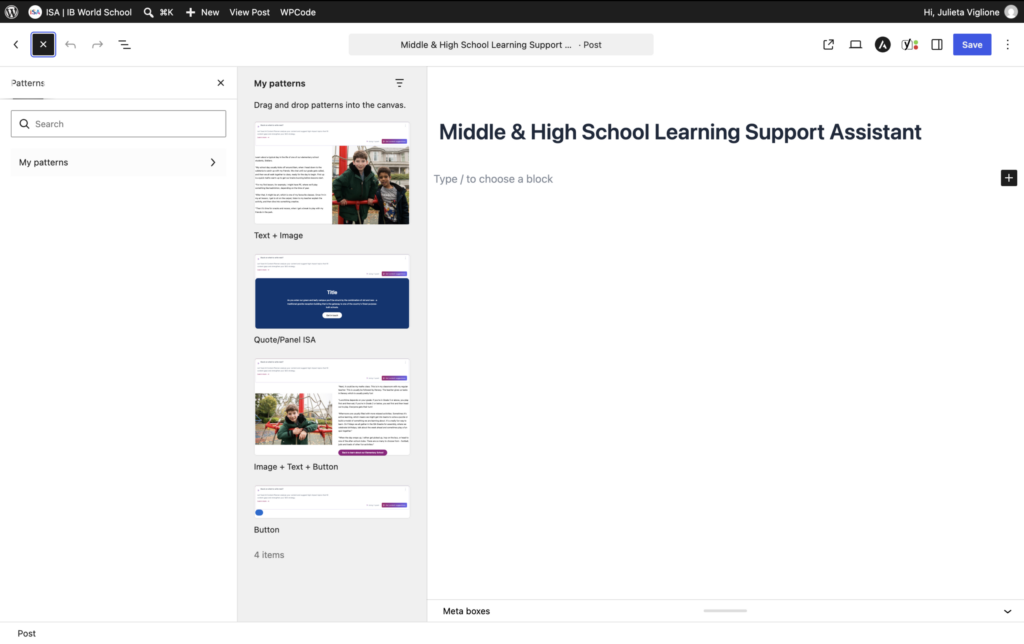
  • A global post template controls the structure, and the article body is edited in Gutenberg.
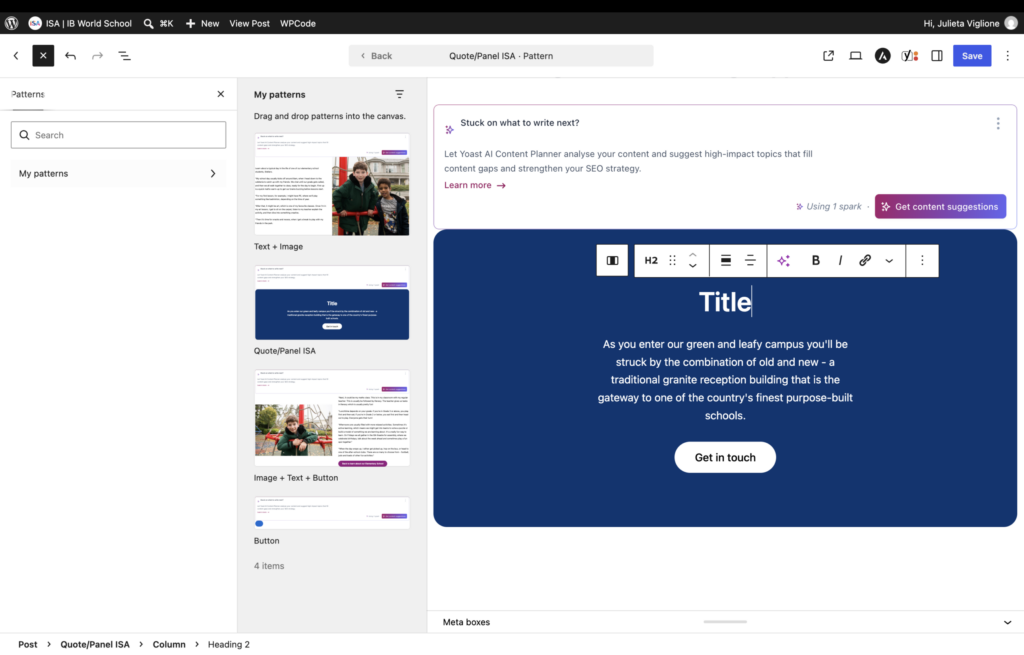
  • A Quote / Panel pattern, insertable from the editor, adds highlighted content with consistent formatting.
  • Clear guidance for uploading images at the right size and weight, and for managing the cache.
A news article on the template
The Quote / Panel pattern in the editor
04

Automatic child page listings

THE PROBLEM

Parent pages needed cards linking to their sub-pages, and keeping those lists up to date by hand was slow and easy to leave inconsistent.

WHAT I BUILT
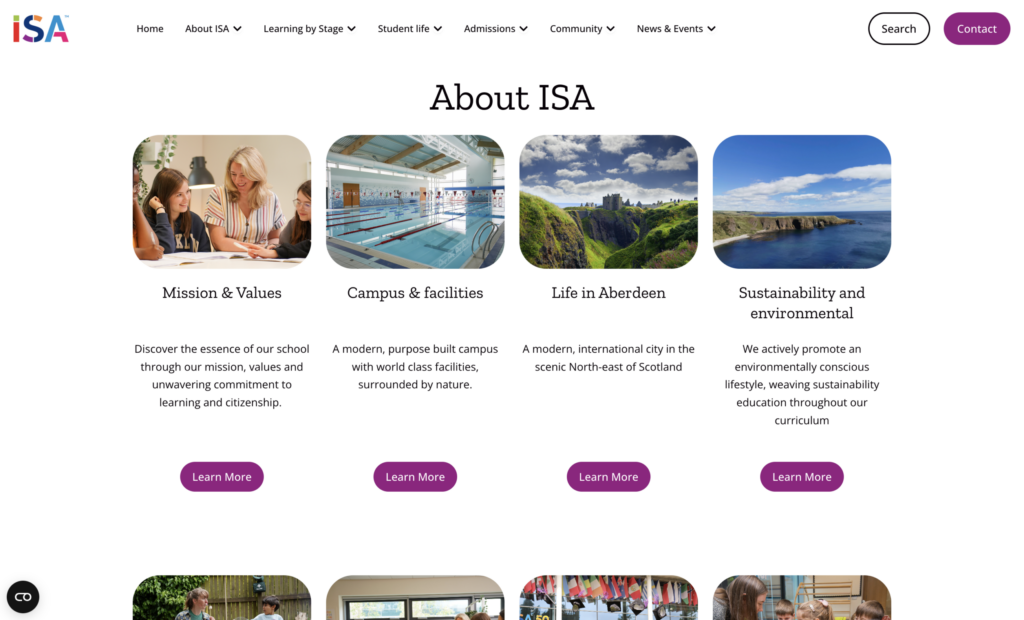
  • Parent pages show cards linked to their sub-pages, generated from the WordPress page hierarchy.
  • Less manual upkeep, and the same presentation everywhere.
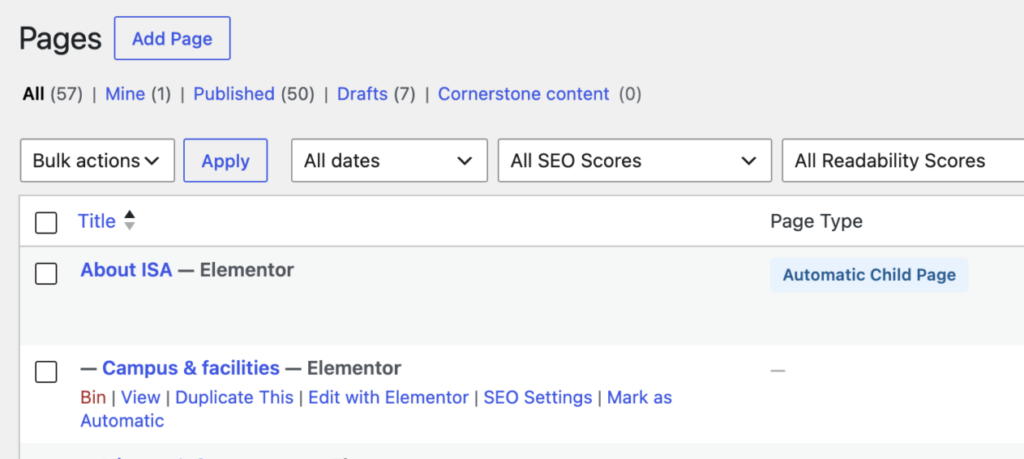
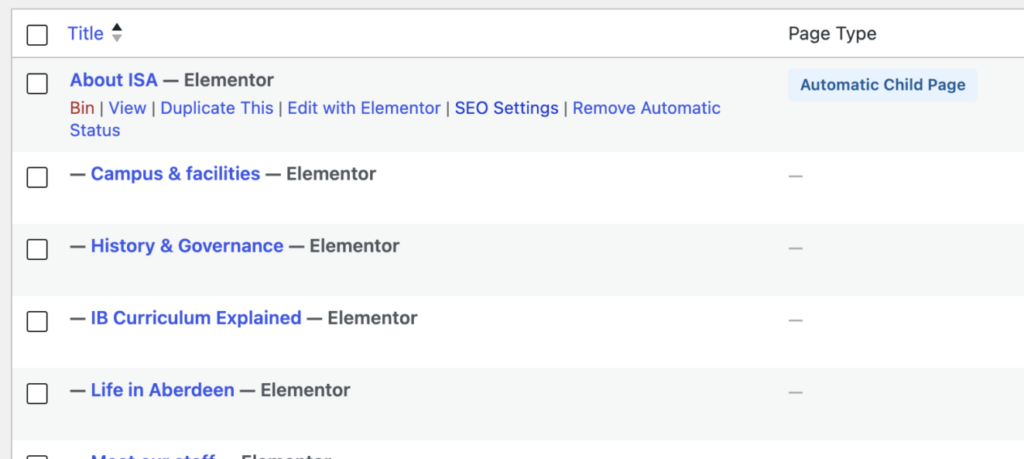
  • A visible “Automatic Child Page” label marks the pages that build and update themselves from their child pages.
  • The label tells the team not to edit those pages directly: to change what they show, they manage the matching child pages. That way they can tell them apart from manually edited pages and avoid confusion in the CMS.
A parent page with automatic child page cards
The “Automatic Child Page” label in the CMS
05

Vacancies and SEO

THE PROBLEM

Job vacancies had to be managed by non-technical staff. And with the extra “Edit” option removed at the school’s request, editors could no longer reach the WordPress editor, where SEO is edited.

WHAT I BUILT
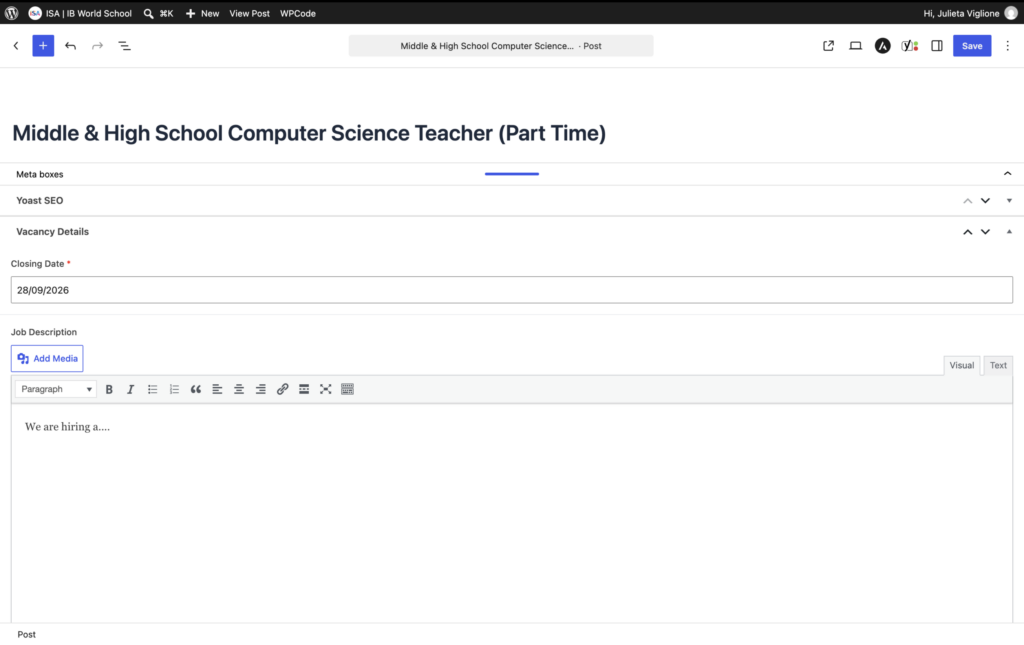
  • Vacancies are managed with ACF fields: an external link and a required closing date.
  • The school asked for the Yoast SEO plugin, so I installed it.
  • To get to it, I built a custom “SEO Settings” button. It appears when the editor hovers over a page and opens that page’s SEO settings.
Vacancy fields in the editor
The SEO Settings button on a page

BEFORE AND AFTER

What changed for the school’s team.

BEFOREAFTER
BEFORE

Creating a page meant starting from a blank screen and choosing a technical structure.

AFTER

Type a title and pick a ready-made template.

BEFORE

Some editing options caused doubts.

AFTER

The page opens straight in Elementor, and the extra Edit option is gone.

BEFORE

Lists of sub-pages had to be kept up to date by hand.

AFTER

Parent pages build their cards from the page hierarchy and carry an “Automatic Child Page” label.

BEFORE

With the extra Edit option gone, editors had no way to reach the SEO settings.

AFTER

A custom “SEO Settings” button on hover opens that page’s SEO.

BEFORE

Design controls and admin menus were hard to handle.

AFTER

Editors see only the controls they need for their role.

BEFORE

Adding highlighted content meant reproducing its format.

AFTER

Insert the Quote / Panel pattern.

ALSO BUILT

The rest of the site.

Responsive build

Pages checked at 375 and 390 px, with 44 px touch targets for mobile navigation and buttons.

Navigation updates

A new Community section, and Swimming moved to a new place in the menu.

Home pop-up

Implemented and approved, with editable content and an on/off control.

Global templates

Header, footer and posts share global templates, together with reusable Elementor sections.

Need a site your team can keep updated?